
Download ReWASD – Game Controller, Xbox Controller, Dualshock 4, Nintendo Switch Pro Controller, Joystick, Gamepad, PC Gaming, Custom Mapping, Input Device, Controller Configuration, ReWASD
Overview
ReWASD is a utility designed to enhance PC gaming by enabling comprehensive configuration and integration of various input devices. The app supports official controllers from major manufacturers, including Xbox, Sony Dualshock, and Nintendo Switch Pro Controller, as well as third-party gamepads and joysticks. Its primary purpose is to allow users to customize button mappings, assign complex inputs, and optimize controller performance across a wide range of games. This makes it particularly valuable for gamers who use non-standard or advanced controllers and seek greater control precision and flexibility. The app addresses a common limitation in PC gaming: the lack of native support for advanced controller features such as rear paddles, touchpads, or custom button behaviors. ReWASD fills this gap by providing a centralized platform to configure these inputs, ensuring that every controller feature is fully usable. It is ideal for both casual and competitive players who want to tailor their control schemes for better gameplay efficiency and comfort. Target users include PC gamers using Xbox Elite controllers, Dualshock 4 users seeking touchscreen customization, and enthusiasts of third-party joysticks. The developer, ReWASD, positions the app as a free, accessible tool for improving controller functionality. Real-world use cases include optimizing control schemes for fast-paced shooters, adjusting inputs for racing games, or enabling custom macros in RPGs. In the broader app ecosystem, ReWASD serves as a critical utility for expanding the capabilities of gaming hardware on Windows.Key Features & Functionality
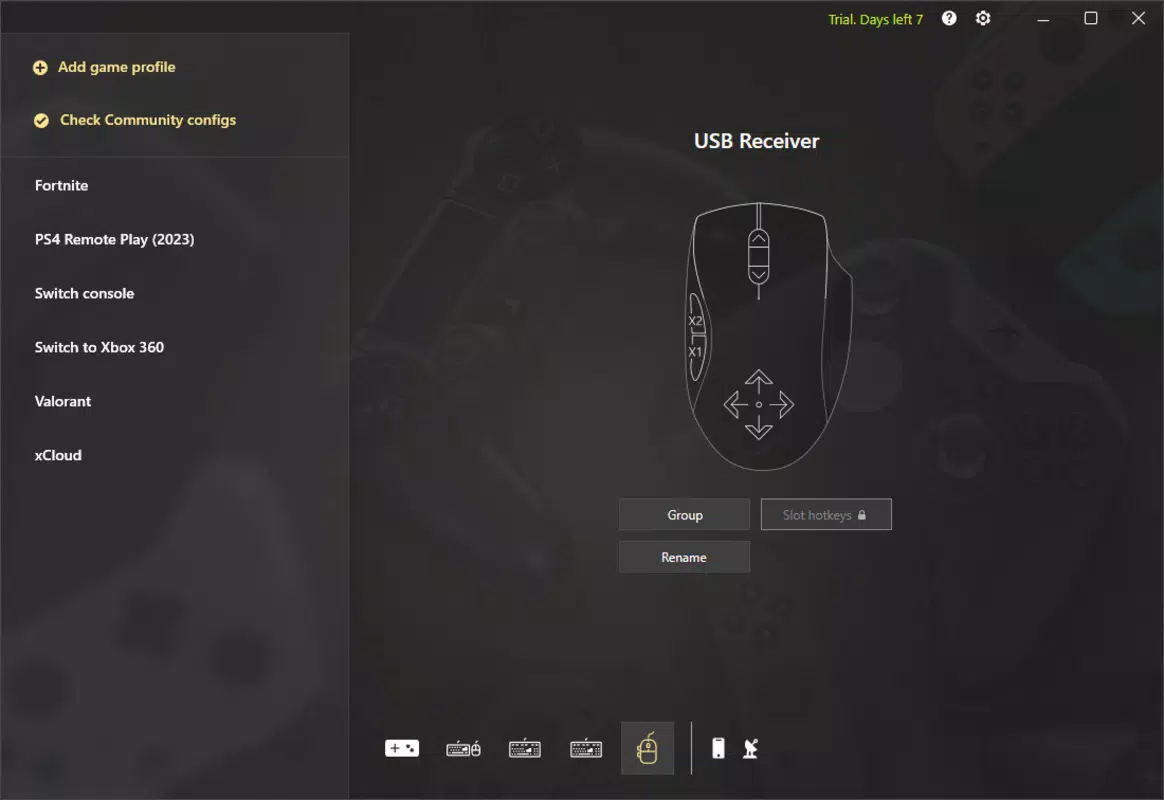
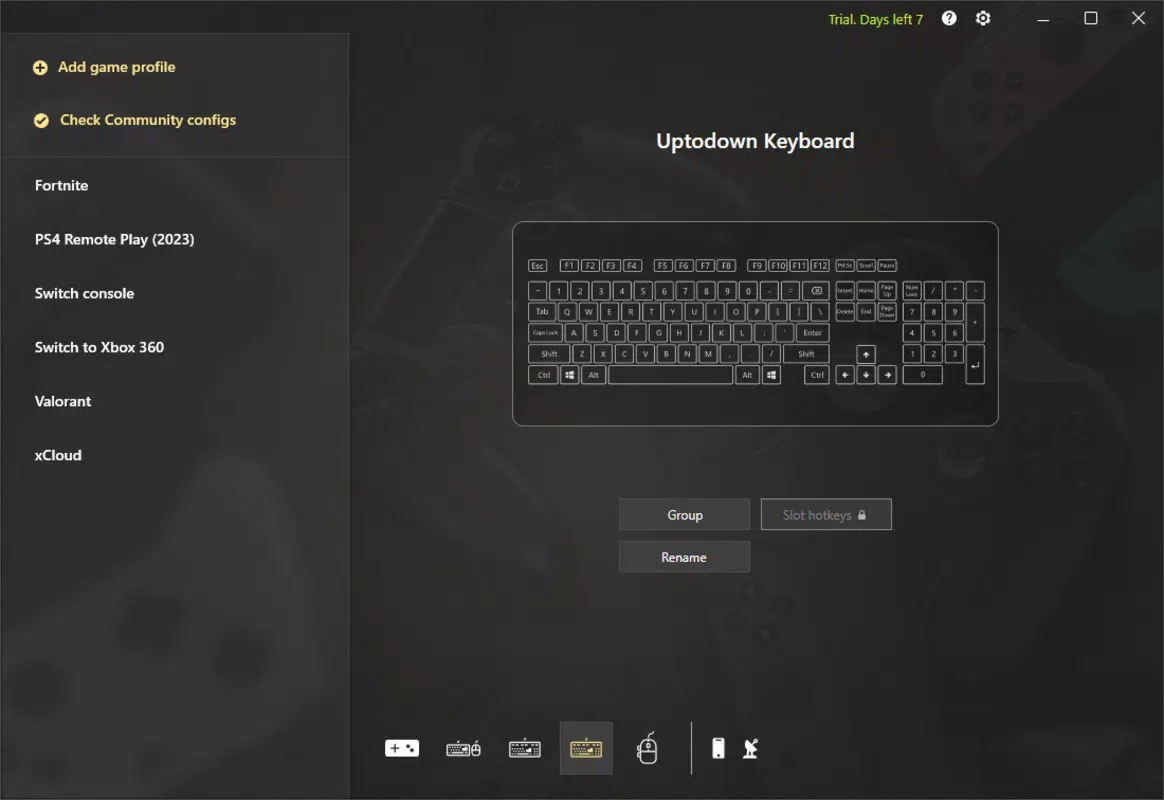
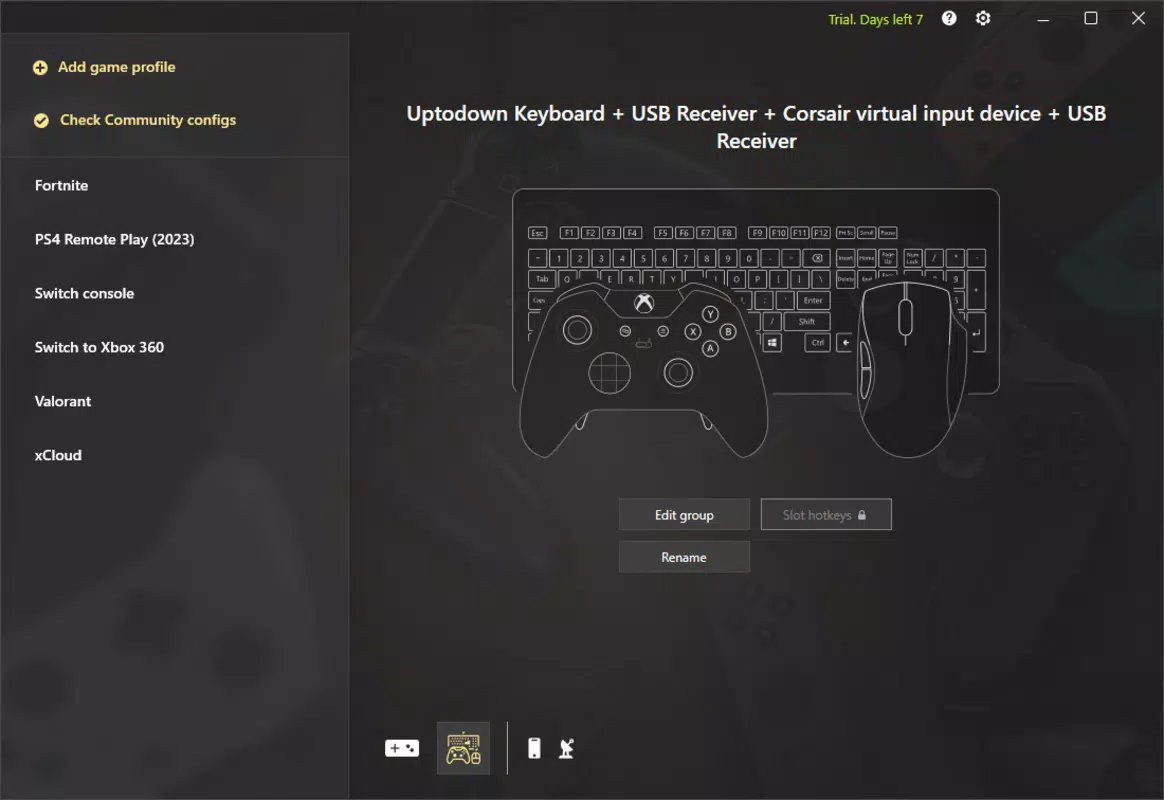
ReWASD delivers a suite of powerful tools tailored to modern PC gaming needs. The core functionality begins with device recognition and grouping. Upon launching the app, users are presented with a list of connected input devices—keyboards, mice, gamepads, and joysticks. Each device can be renamed and grouped, enabling simultaneous configuration. For example, a keyboard and mouse can be grouped to create a unified control profile, ideal for games requiring both precise movement and quick button access. Another standout feature is the advanced configuration for Xbox Elite controllers. ReWASD allows users to map the four rear levers to specific keyboard inputs, a capability not available in the official Xbox app. This enables enhanced gameplay in titles like Call of Duty or Valorant, where rapid access to abilities or reload functions can be critical. The app also includes unique support for the Dualshock 4’s touchscreen. Users can define different regions of the touchpad to trigger specific actions in different games—such as opening a menu or activating a skill—offering a level of personalization unmatched by standard drivers. Additionally, ReWASD hosts a community-driven repository of game-specific configurations. Users can download pre-made setups for popular titles like Grand Theft Auto 5 and Modern Warfare 2, reducing setup time and improving performance. These community contributions are freely available and regularly updated. The app also provides access to tutorials and support resources on the developer’s website, ensuring users can maximize their experience.Real-World Use Cases
- Mapping rear levers on an Xbox Elite controller to quick-reload or grenade throw in FPS games.
- Using the Dualshock 4 touchscreen to activate in-game abilities without removing hands from the controller.
- Grouping a keyboard and mouse for unified configuration in strategy or simulation games.
- Downloading a community-configured layout for Valorant to improve aim and movement efficiency.
- Customizing a third-party joystick for flight simulator games with precise axis and button mapping.
Interface, UX & Performance
ReWASD features a clean, intuitive interface designed for both novice and advanced users. The main dashboard displays all connected devices in a structured list, with clear labels and status indicators. Navigation is straightforward, with a sidebar for device selection and a central panel for configuration. Users can switch between devices and apply settings with minimal clicks. Visual design emphasizes functionality over ornamentation, using a minimalist layout with color-coded buttons and tooltips for guidance. The interface supports drag-and-drop mapping, allowing users to assign inputs by simply dragging a controller button to a desired function. This reduces the learning curve and speeds up setup. Although the developer did not list formal performance metrics, the app operates efficiently with low system resource usage. It runs in the background without causing noticeable lag or interference with game performance. Responsiveness is consistent across different device categories, including standard laptops and high-end gaming rigs. Stability is maintained during extended gaming sessions, with no reported crashes or freezes in the provided data. The app is compatible with Windows systems and integrates seamlessly with existing game launchers and emulators. While specific requirements were not listed, users can expect smooth operation on modern Windows machines. The user experience is further enhanced by the availability of tutorials and community forums, which provide guidance for troubleshooting and advanced setups.Platform Compatibility & Technical Requirements
ReWASD is available exclusively for the Windows platform. The current version is 2.0.1, with a file size of 28.4 MB, indicating a lightweight installation. The app is free to download and use, with no in-app purchases or subscription models. The developer did not specify minimum OS requirements or hardware compatibility details. However, given its size and functionality, it is likely optimized for Windows 10 and Windows 11 systems. Compatibility with older Windows versions was not disclosed. Users are advised to check the official website for updates and compatibility notes. No additional software dependencies were mentioned. The app runs independently and does not require external drivers for standard controller support. Installation is straightforward, with a standard Windows installer. Updates are available through the official site, ensuring users can access the latest features and security patches.Pros and Cons
- Supports a wide range of controllers, including Xbox Elite, Dualshock 4, and Nintendo Switch Pro Controller.
- Enables advanced customization such as rear lever mapping and touchscreen configuration.
- Offers community-shared game profiles for popular titles, saving setup time.
- Free to download and use with no hidden costs.
- Lightweight installation at just 28.4 MB.
- Intuitive interface with drag-and-drop mapping for easy configuration.
- Specific OS requirements were not listed by the developer.
- Compatibility with older Windows versions was not confirmed.
- No official mobile version or iOS support available.
- Advanced features may require a learning curve for new users.
- Dependence on community content for game-specific setups.


